Total Pageviews

Tuesday, 21 April 2020

How To Perform Bulk Operation In JIRA

In this video we will see how to perform bulk operation in JIRA  like bulk subtask creation in stories or like bulk status change of a ticket etc.


You can download macro from : swachalantech EXCEL MACRO


Save Water | Save Energy | Save Earth     
    Stop Pollution | Stop Plastic
                 Spread Peace

Wednesday, 25 March 2020

How to take full page screenshot in serenity bdd WITHOUT USING THIRD PARTY JARS OR LIBRARIES

Some times we need to take full page screenshot in case of failures. In this post we will see how to take full page screenshots without using third party jars like Ashot , Shutterbug etc.

Use the below code and call it whenever u need to take full page screenshot.


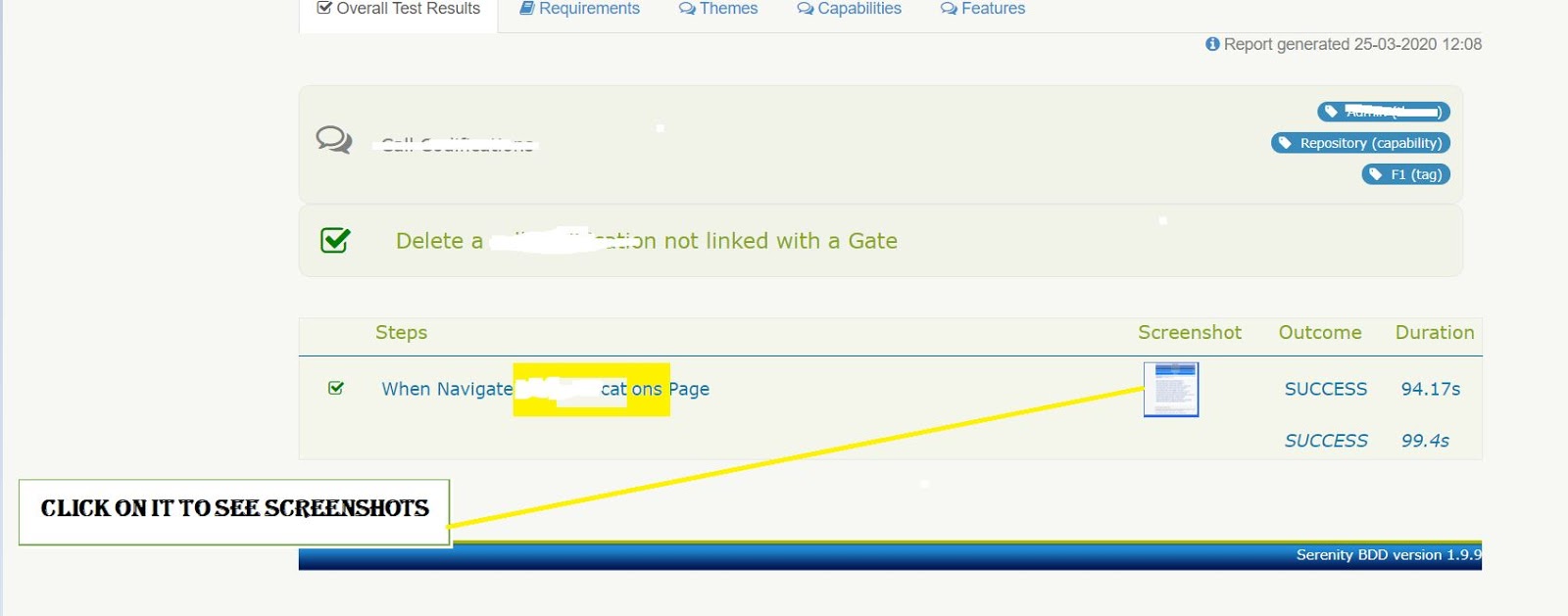
In serenity report we will see full page screenshots like below :


Code:

public void takeFullPageScreenShot() {
        try {
            int heightInner = Integer
                .parseInt(((JavascriptExecutor) getDriver()).executeScript("return window.innerHeight").toString());
            int heightTotal = Integer.parseInt(((JavascriptExecutor) getDriver())
                .executeScript("return document.documentElement.scrollHeight").toString());
            int scrollInitial = 0;
            int scrollFinal = heightInner - 150;
            ((JavascriptExecutor) getDriver())
                .executeScript("window.scrollBy(0,-" + Integer.toString(heightTotal) + ")");
            for (int i = 0; i < (heightTotal / scrollFinal); i++) {
                Serenity.takeScreenshot();
                ((JavascriptExecutor) getDriver()).executeScript(
                    "window.scrollBy(" + Integer.toString(scrollInitial) + "," + Integer.toString(scrollFinal) + ")");
            }
        } catch (Exception e) {
            logger.info(e.getMessage());
        }
    }

Monday, 25 November 2019

Empty serenity report generated issue

Sometimes we face issue in serenity bdd like all the tests are run but there is empty serenity report generated.
like below:

Although there can be multiple of reasons but for me it was because of tags in runner file.

I was giving multiple comma seperated tags like below..

which was causing problem since cucumber stopped this way in its latest release.

So when I gave just one tag , report generated fine..


Tuesday, 15 October 2019

HackerRank:30 Days of Code

Day 8: Dictionaries and Maps


Day 9: Recursion 3


Day 10: Binary Numbers


Day 17: More Exceptions


Day 18: Queues and Stacks

Day 19: Interfaces


Day 20: Sorting


Day 21: Generics


Day 22: Binary Search Trees


Friday, 1 March 2019

Disabling images on a webpage using selenium

             
              System.setProperty("webdriver.chrome.driver","./drivers/chromedriver.exe");
Map<String, Object> prefs = new HashMap<String, Object>();
prefs.put("profile.default_content_setting_values.images",2);
ChromeOptions options = new ChromeOptions();
options.setExperimentalOption("prefs", prefs);
WebDriver driver = new ChromeDriver(options);
driver.get("https://www.google.com/");


// we can use different preferences to set browsers  as per our need.
profile.default_content_setting_values.cookies
profile.default_content_setting_values.images
profile.default_content_setting_values.javascript
profile.default_content_setting_values.plugins
profile.default_content_setting_values.popups
profile.default_content_setting_values.geolocation
profile.default_content_setting_values.notifications
profile.default_content_setting_values.auto_select_certificate
profile.default_content_setting_values.fullscreen
profile.default_content_setting_values.mouselock
profile.default_content_setting_values.mixed_script
profile.default_content_setting_values.media_stream
profile.default_content_setting_values.media_stream_mic
profile.default_content_setting_values.media_stream_camera
profile.default_content_setting_values.protocol_handlers
profile.default_content_setting_values.ppapi_broker
profile.default_content_setting_values.automatic_downloads
profile.default_content_setting_values.midi_sysex
profile.default_content_setting_values.push_messaging
profile.default_content_setting_values.ssl_cert_decisions
profile.default_content_setting_values.app_banner
profile.default_content_setting_values.site_engagement

profile.default_content_setting_values.durable_storage

Source: https://chromium.googlesource.com/chromium/src/+/7e762c1f17514a29834506860961ba2f24e7e6e5/components/content_settings/core/common/pref_names.cc

Tuesday, 18 December 2018

How to do ctrl+f in selenium

There are various ways to press keys in selenium like by using Keys class in send keys or using action class to press keys or using Robot class to simulate key press.

Lets see how we can do this using action class in selenium.

       System.setProperty("webdriver.chrome.driver","C:\\Z_Drivers\\chromedriver.exe");
        WebDriver driver = new ChromeDriver();
        driver.get("https://www.google.com/");
        WebElement ele = driver.findElement(By.cssSelector("body"));
        Actions action = new Actions(driver);
        action.keyDown(Keys.CONTROL).sendKeys(ele,Keys.chord("f")).keyUp(Keys.CONTROL).perform();


 Note: There are bugs which are still open for some browser version where Keys.chord does not work in that case you will have to use robot class to simulate key presses.

Save Water | Save Energy | Save Earth     
    Stop Pollution | Stop Plastic
                 Spread Peace